HubSpot is the CRM of choice for a huge number of B2B companies, and for good reason. It is intuitive, well-designed, and comes with a solid free tier. But HubSpot's native data enrichment has limitations, especially after the Clearbit acquisition changed the landscape of what is available natively versus what requires third-party tools.
This guide covers exactly how to enrich HubSpot contacts, companies, and deals using both native capabilities and third-party enrichment platforms, with specific setup instructions for each approach.
What HubSpot Offers Natively
HubSpot acquired Clearbit in late 2023, integrating its enrichment capabilities into the HubSpot ecosystem. If you are on a paid HubSpot plan, you get some level of automatic enrichment built in. HubSpot can auto-fill company data (size, revenue, industry) when a new contact is created with a work email domain.
The native enrichment is decent for basic company data, but it has gaps:
- Email enrichment is limited. HubSpot does not discover new email addresses. It can enrich company data from a known email domain, but it will not find emails you do not already have.
- Phone data is weak. Native enrichment rarely returns phone numbers, especially verified mobile numbers.
- Coverage is single-source. Even with Clearbit integrated, HubSpot relies on one data source. Coverage tops out at 50-70% for many ICP segments.
- Verification is basic. Native enrichment does not include the deep verification (line-type detection, catch-all domain handling) that dedicated platforms provide.
For many teams, native enrichment is a good starting point but insufficient for serious outbound prospecting.
Integration Method 1: HubSpot App Marketplace
The simplest way to add third-party enrichment to HubSpot is through the App Marketplace. Search for data enrichment and you will find dozens of options. Apollo, Clearbit (now part of HubSpot), Lusha, and others offer native HubSpot apps.
These apps typically add enrichment buttons to contact and company records. Click the button, and the app enriches the record with data from its database. Some offer automatic enrichment on record creation.
Pros: easy to install, no technical setup, data syncs directly to HubSpot properties. Cons: most are single-source (50-70% coverage), credit-based pricing can be expensive at scale, limited customization of enrichment workflows.
Integration Method 2: Zapier or Make Middleware
For waterfall enrichment with platforms like BetterEnrich, middleware is the most common integration pattern. Here is how it works:
Setup Steps
- Create a Zapier account (or Make, if you prefer)
- Set up a trigger: HubSpot New Contact (or Contact Updated)
- Add an action step: HTTP request to BetterEnrich API with the contact's name and company
- Add a response handler: parse the enrichment results (email, phone, company data)
- Add update steps: write enriched data back to HubSpot contact properties
HubSpot Property Mapping
Before configuring the integration, create custom HubSpot properties for enrichment data that does not map to standard fields:
- Enrichment Source (single-line text): which provider returned the data
- Last Enriched Date (date): when enrichment last ran
- Mobile Phone (single-line text): if HubSpot's default phone field is used for office numbers
- Technology Stack (multi-line text): tech stack data from enrichment
- Phone Line Type (dropdown): mobile, landline, VoIP
Map the enrichment API response fields to these HubSpot properties in your middleware workflow.
Error Handling
Configure your middleware to handle common scenarios:
- No results found: log the empty result, set a flag on the contact for manual review
- API timeout: queue for retry (most middleware platforms support this natively)
- Partial results: write what was found (maybe email was found but phone was not)
- Duplicate detection: before creating, check if the email already exists in HubSpot
Integration Method 3: Direct API Integration
For teams with engineering resources, direct API integration between HubSpot and your enrichment platform provides the most control and best performance.
Architecture
- HubSpot webhook fires on contact creation or update
- Your webhook endpoint (serverless function or microservice) receives the event
- Endpoint calls the BetterEnrich API with contact details
- BetterEnrich processes the waterfall query and returns results
- Your endpoint calls the HubSpot API to update the contact with enriched data
Implementation Tips
Use the HubSpot V3 API for contact updates. Batch API calls where possible to stay within rate limits. Log every enrichment request and response for debugging. Implement idempotency checks so the same contact does not get enriched multiple times if the webhook fires redundantly.
What to Enrich in HubSpot
Contacts
Priority enrichment fields for HubSpot contacts:
- Work email (verified for deliverability)
- Mobile phone (line-type verified)
- Job title (standardized)
- Seniority level (C-level, VP, Director, Manager)
- Department (Sales, Marketing, Operations, IT)
Companies
Priority enrichment fields for HubSpot company records:
- Employee count (current)
- Annual revenue (estimated)
- Industry (standardized)
- Technology stack (CRM, marketing automation, cloud provider)
- Funding status (last round, amount, date)
Deals
Company enrichment data should flow to associated deals for pipeline analysis. When a deal is created and associated with a company, the enriched firmographic data helps with deal scoring and forecasting.
Enrichment Workflows for Common Use Cases
Inbound Lead Enrichment
Trigger: new contact created via form submission
Action: enrich with BetterEnrich API
Result: contact is enriched, scored, and routed within 90 seconds of form fill
HubSpot workflow: If lead score greater than 20, create task for rep. If score under 20, enroll in nurture sequence.
List Import Enrichment
Trigger: contacts imported via CSV (detected by import property)
Action: batch enrich all imported contacts
Result: imported list gets verified emails, phone numbers, and company data
HubSpot workflow: after enrichment completes, run lead scoring and segment into appropriate lists.
Stale Data Re-Enrichment
Trigger: scheduled workflow runs weekly
Filter: contacts where Last Enriched Date is more than 90 days ago
Action: re-enrich through BetterEnrich API
Result: stale records get refreshed with current data
Bounce Recovery
Trigger: email hard bounce event in HubSpot
Action: re-enrich the bounced contact to find a new valid email
Result: recovered contacts can be re-engaged with fresh email addresses
Comparing Enrichment Options for HubSpot
Native HubSpot/Clearbit: free with paid plans, basic company enrichment, limited phone data, single-source coverage.
Apollo HubSpot app: easy install, 275M+ contact database, email and some phone data, credit-based pricing, single-source coverage (50-70%).
Lusha HubSpot app: credit-based, good US data, Chrome extension for LinkedIn enrichment, single-source coverage.
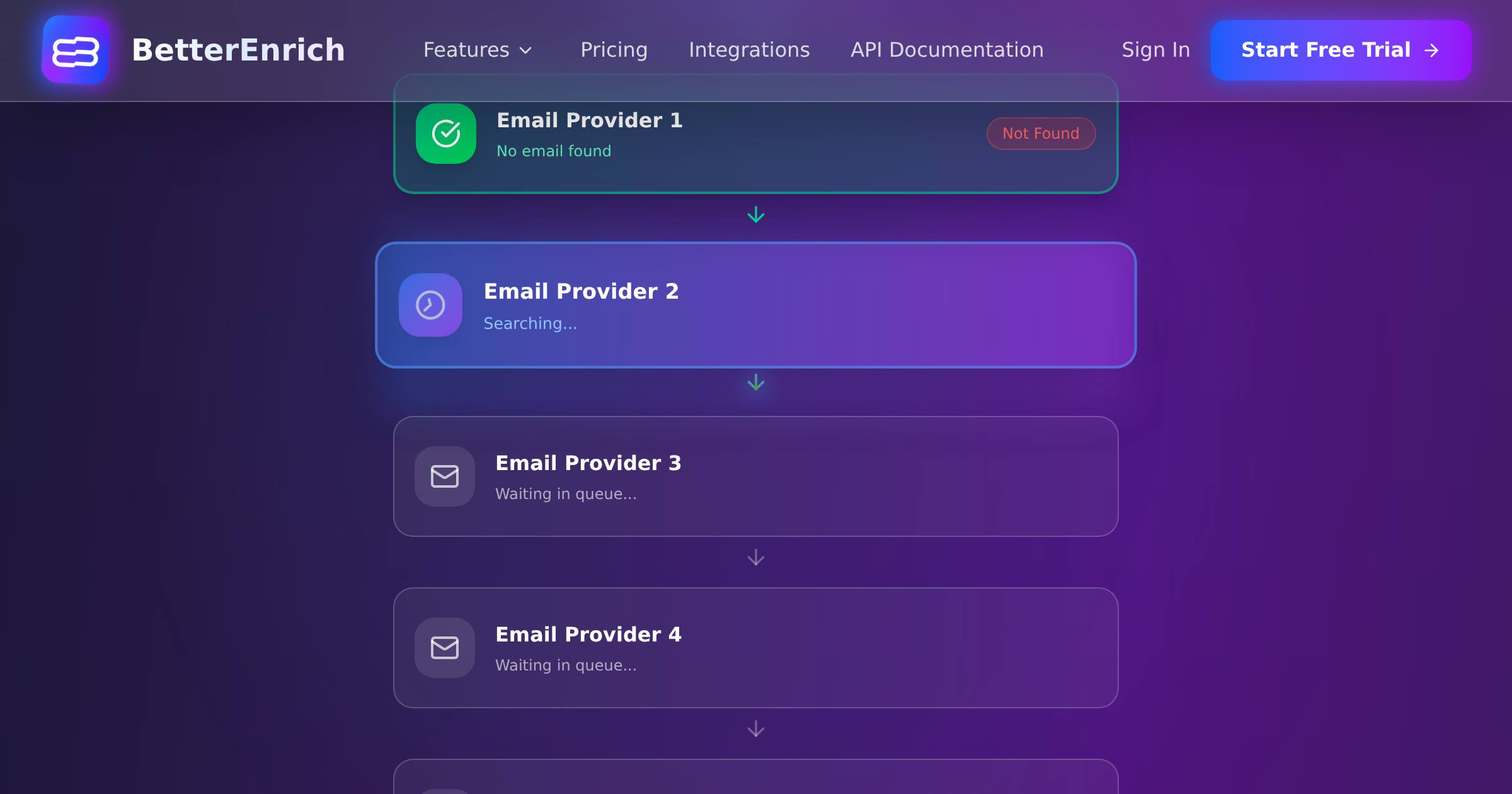
BetterEnrich via Zapier/API: waterfall enrichment across 17+ sources, 85-95% coverage, pay-per-valid pricing, 3-step phone verification, requires middleware or API setup.
For teams serious about outbound prospecting, the waterfall approach via BetterEnrich provides the highest coverage. For teams primarily doing inbound with occasional prospecting, native HubSpot enrichment plus a single-source app may be sufficient.
Cost Optimization
To keep enrichment costs manageable in HubSpot:
- Only enrich contacts with work email domains (skip personal emails like Gmail, Yahoo)
- Deduplicate before enrichment (do not enrich the same contact twice)
- Use conditional logic: if a contact already has a verified phone number, skip phone enrichment
- Prioritize enrichment for high-value segments (ICP-matching contacts first)
With BetterEnrich's pay-per-valid model, you naturally avoid paying for empty results. Landlines and unverifiable contacts do not incur charges.
The Bottom Line
HubSpot is a great CRM, but its native enrichment is not enough for teams running serious outbound. The integration options are clear: App Marketplace for simple single-source enrichment, Zapier/Make for waterfall enrichment without engineering, and direct API for maximum control and performance. Whichever approach you choose, the goal is the same: every contact in HubSpot should have verified, current, complete data that your sales team can act on immediately.