Finding someone's work email or mobile number sounds like it should be simple in 2026. There is more business data floating around than ever before. But the reality is that no single method finds every contact, and the accuracy gap between methods is enormous. Understanding what each approach actually delivers helps you build a contact discovery strategy that works instead of one that wastes money on bad data.
Method 1: Single-Source Enrichment Tools
Tools like Apollo, Lusha, and Hunter maintain their own databases of business contacts. You input a name and company (or sometimes just a company domain), and the tool returns whatever contact information it has on file.
Coverage rate: 50 to 70% for emails, lower for phone numbers. The coverage depends entirely on how well that specific provider has indexed the industry and geography you are targeting.
Accuracy: Varies widely. Hard bounce rates across single-source tools range from 0.9% to 11.2% based on the Dropcontact benchmark study of 20,000 contacts. Some tools show a 14.7% mismatch rate between company names and email domains, meaning the email they return does not even match the company you asked about.
Cost: Ranges from free tiers with limited credits to $49 to $119 per month per user. Credit-based models charge per lookup regardless of whether they find anything.
Best for: Teams with simple needs, small volumes, and targets in well-indexed industries like SaaS and technology.
Method 2: Waterfall Enrichment
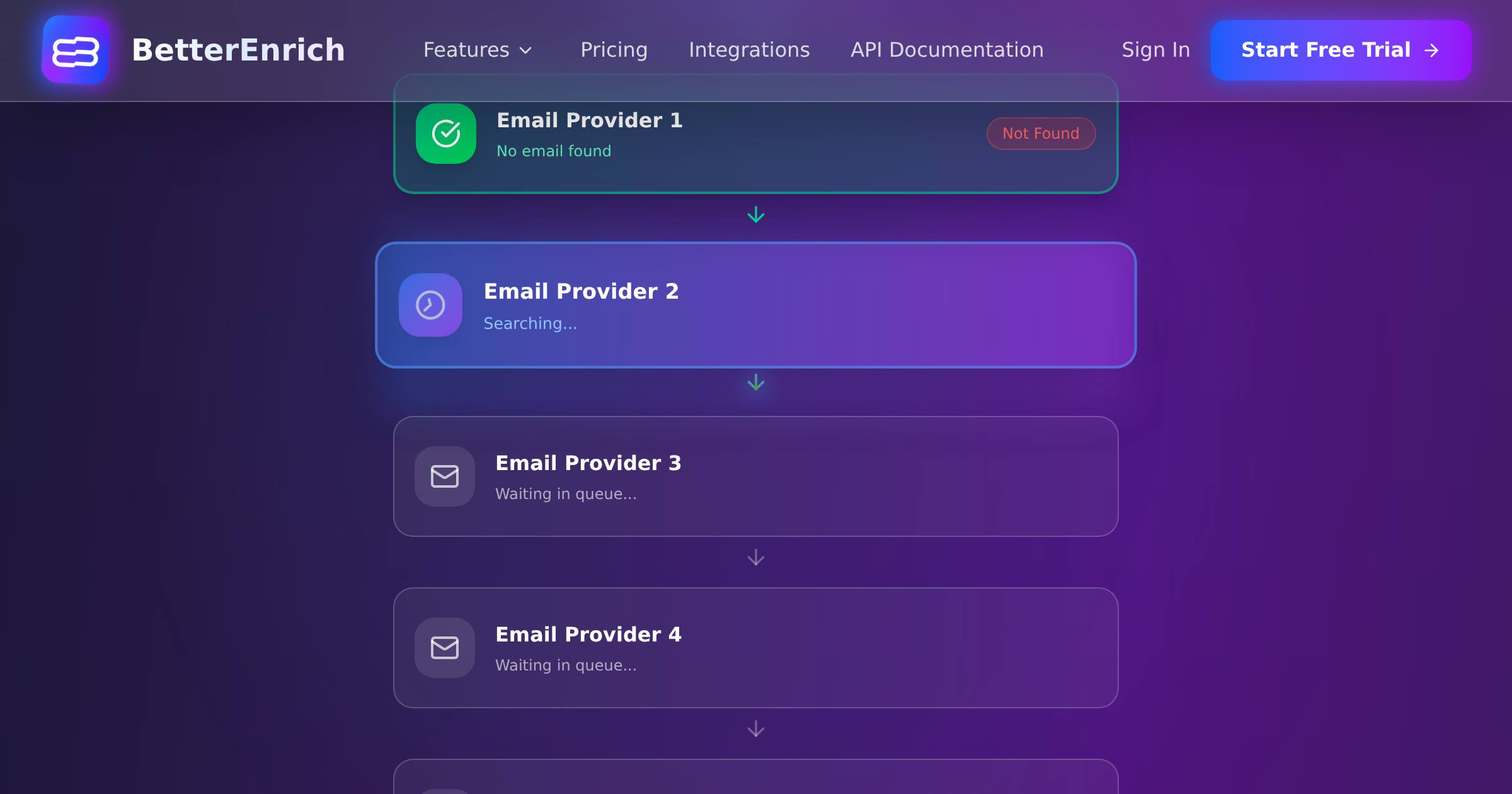
Waterfall platforms cascade your lookup through multiple data sources sequentially. If Provider A has no result, the system automatically queries Provider B, then C, and so on. BetterEnrich queries 17 or more sources this way.
Coverage rate: 85 to 95% for emails. Phone number coverage is lower but still significantly better than single-source. The conditional logic means the system keeps looking until it finds something or exhausts all providers.
Accuracy: Higher than single-source because the system can cross-reference results across providers. Pay-per-valid models like BetterEnrich add another accuracy layer because you only pay for verified results, giving the provider strong incentive to verify before charging you.
Cost: Typically $0.02 to $0.15 per enriched contact, but only for valid results. No charge for failed lookups or landline phone numbers with pay-per-valid platforms.
Best for: Teams doing systematic outbound at scale who need the highest possible coverage and cannot afford to miss contacts that a single source would not find.
Method 3: LinkedIn Sales Navigator
LinkedIn is the most complete professional database with 900 million plus members. Sales Navigator gives you advanced search, lead recommendations, and InMail credits. But it does not give you email addresses or phone numbers directly.
Coverage rate: Very high for finding the person and confirming their current role. Near zero for actual contact data (email and phone) unless the person has chosen to make it visible on their profile.
Accuracy: For profile information, LinkedIn is usually the most current source because professionals update their own profiles. For contact data, you are dependent on what the person publicly shares.
Cost: $79 to $139 per month per user for Sales Navigator. InMail credits are limited and response rates on InMail are generally lower than on direct email.
Best for: Research and identification phase. Use LinkedIn to find and confirm targets, then enrich through a separate tool to get contact details.
Method 4: Email Pattern Guessing with Verification
Most companies follow predictable email patterns: firstname@company.com, firstname.lastname@company.com, first-initial-lastname@company.com. If you can figure out the pattern, you can construct likely email addresses for anyone at that company.
Coverage rate: Roughly 60% accuracy without verification. With verification added (checking whether the constructed email actually exists), accuracy improves but coverage drops because verification rejects addresses at catch-all domains.
Accuracy: Depends entirely on whether you verify the guessed email. Unverified pattern-guessed emails will include a significant number of non-existent addresses. Verified ones are more reliable but you will miss anyone at a company that does not follow the standard pattern.
Cost: Very low. Email verification services charge $0.001 to $0.01 per verification. The pattern guessing itself is essentially free.
Best for: Supplementary method when enrichment tools come back empty. Also useful for verifying enrichment results by checking whether the returned email matches the company's known pattern.
Method 5: Website Crawling and Company Directories
Some contacts are publicly available on company websites, particularly for smaller businesses that list their team on an About page or staff directory. Industry directories, association membership lists, and conference speaker lists also contain contact information.
Coverage rate: Low and inconsistent. Larger companies rarely list individual contact details. Smaller companies sometimes do. Industry-specific directories can be gold mines for certain verticals.
Accuracy: Generally high when you find data this way because it comes directly from the company or a verified industry source. But the data can be outdated since websites are not always updated promptly when people leave.
Cost: Time-intensive if done manually. Web scraping tools can automate the process but require setup and maintenance.
Best for: Niche industries where standard enrichment tools have poor coverage, like construction, manufacturing, or local services businesses.
Method 6: Manual Research
The old-fashioned approach: an SDR manually Googles the prospect, checks LinkedIn, visits the company website, checks industry directories, and pieces together contact information from multiple public sources.
Coverage rate: Variable but a skilled researcher can eventually find most contacts given enough time.
Accuracy: Depends on the researcher's skill and the sources they check. Manual research can actually be quite accurate when done well because a human can evaluate context clues that automated tools miss.
Cost: Extremely expensive when you factor in the SDR's time. At $25 per hour and 5 to 10 contacts researched per hour, manual research costs $2.50 to $5.00 per contact. That is 15 to 250 times more expensive than automated enrichment.
Best for: High-value targets where the deal size justifies the time investment. Enterprise account-based selling where you are pursuing a handful of strategic accounts and need deep intelligence on each contact.
Building a Contact Discovery Stack
No single method covers every scenario, so the best approach layers multiple methods based on the value of the contact:
For High-Volume Outbound (200 Plus Contacts per Month)
Start with waterfall enrichment as your primary method. Run every new prospect through the waterfall first to get the highest automated coverage. For the 5 to 15% that the waterfall misses, use email pattern guessing with verification as a fallback. Only resort to manual research for the highest-value targets that no automated method can resolve.
For Individual Prospecting
Use a LinkedIn Chrome extension for real-time enrichment as you browse profiles. Supplement with a waterfall API for contacts the extension misses. Keep manual research as a last resort for must-have contacts.
For Inbound Lead Enrichment
Trigger waterfall enrichment automatically when a lead submits a form. You already have their email from the form submission, so you are enriching with phone number, company data, and role information. This should happen within seconds so the lead can be routed and scored immediately.
Measuring Contact Discovery Performance
Track these metrics across your discovery methods to understand what is working:
- Find rate: What percentage of lookups return usable contact data? Benchmark: 85 to 95% for waterfall, 50 to 70% for single-source.
- Accuracy rate: Of contacts found, what percentage have valid emails (under 2% bounce rate) and working phone numbers?
- Cost per valid contact: Total spend divided by number of contacts with verified, usable data. This is the metric that makes waterfall enrichment look very good compared to alternatives.
- Time to contact: How long from identification to having actionable contact data? Automated methods deliver in seconds. Manual research takes hours.
The contact discovery landscape keeps evolving, with AI-powered tools getting better at predicting contact information and cross-referencing across sources. But the fundamental principle stays the same: more sources checked means more contacts found. Waterfall approaches that systematically cascade through multiple providers will consistently outperform any single method for coverage, and the cost math favors automation over manual research by a wide margin at any volume above a handful of contacts per week.